What to notice
Summary
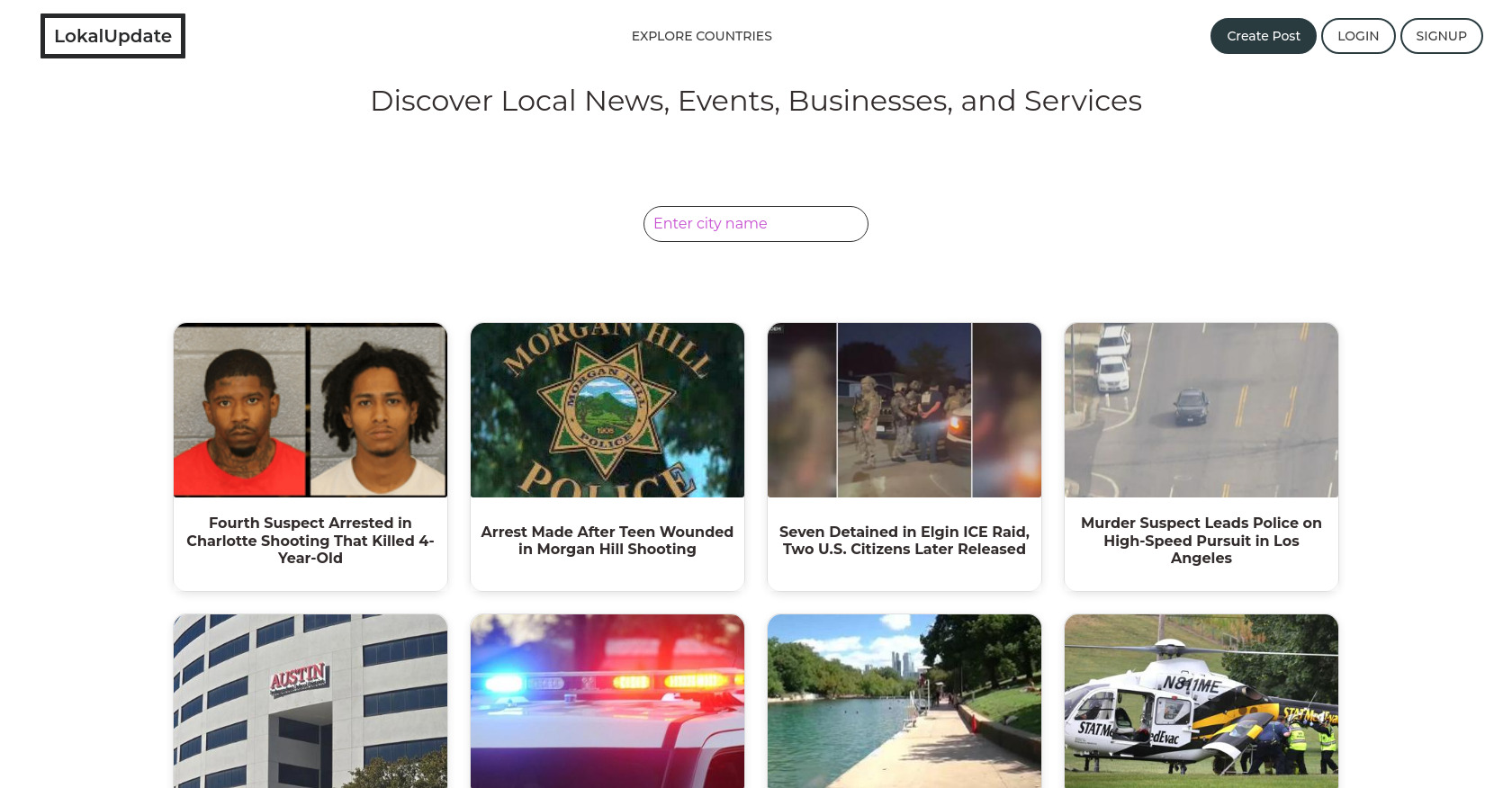
Lokalupdate is a web application designed to provide local news, events, and business listings. The provided content showcases a series of news articles, each represented by a thumbnail image and a brief headline, linking to the full article. The site also includes a search bar for finding information by city, links to explore countries, create posts, and user account options (login/signup).
Target audience
This project is targeted towards individuals seeking local news, events, and connections to businesses within their community. It aims to serve a broad audience interested in staying informed about happenings in their specific geographical area. The platform also caters to those looking for local services and businesses.
Key features
- Local News Aggregation: Gathers and presents local news stories.
- Event Listings: (Not explicitly visible but mentioned in description) Provides information on local events.
- Business Directory: (Not explicitly visible but mentioned in description) Connects users with local businesses.
- Location-Based Search: Allows users to search for content based on city.
- User-Generated Content: Offers the ability for users to create posts.
- Explore Countries Feature: Allows exploring news and information by country.
- Responsive Design: The HTML includes viewport meta tag, suggesting a responsive layout.
Pain points
- Information Overload: The front page is dominated by crime-related news, which might be overwhelming or deter some users.
- Lack of Filtering/Categorization: No apparent way to filter news by category (e.g., business, events, sports).
- Limited Business/Event Visibility: Business directory and event listings are mentioned but not prominently displayed or easily accessible on the homepage.
- Potentially Negative Tone: The heavy emphasis on negative news could create a negative perception of the local community.
- Missing Key Functionality: The description mentions local news, events, and businesses but the homepage mainly displays news, with the other two not clearly visible.
Usage instructions
- Search for a City: Use the search bar to enter a city name and find local news related to that area.
- Explore News Articles: Browse the displayed news articles by clicking on the thumbnail or headline.
- Create a Post: Use the "Create Post" link in the navigation bar to contribute your own content (requires login).
- Explore Countries: Use the "Explore Countries" link to view information by country.
- Account Management: Use the login/signup links to manage your user account.