What to notice
Summary
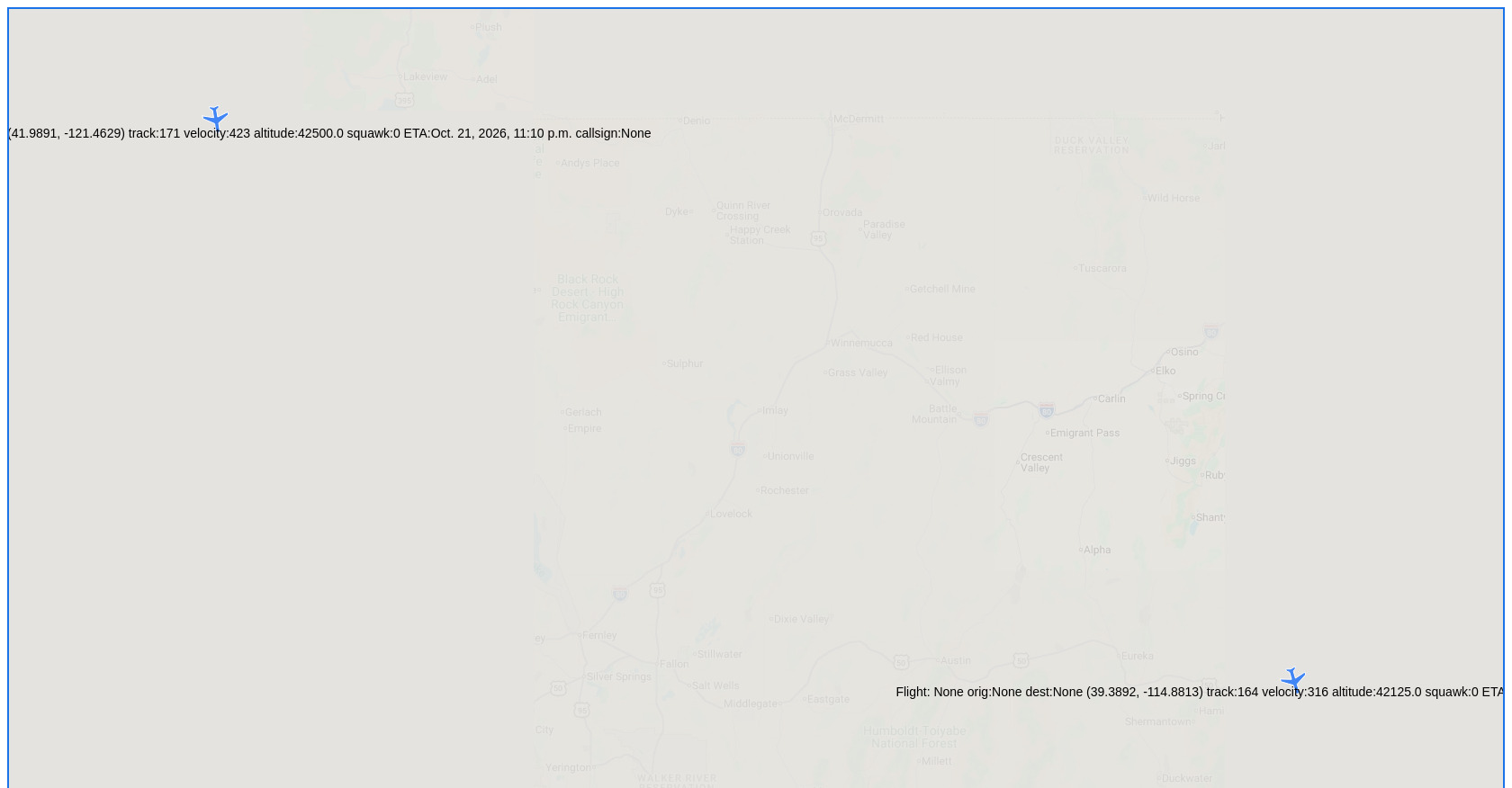
This is a real-time flight tracker web application built with Django, Google Maps JavaScript API, and SolidJS (a reactive JavaScript library). It displays aircraft positions on an interactive Google Map with airplane-shaped markers that rotate according to the aircraft's track/heading. The app predicts future positions using velocity and heading calculations, draws trailing lines behind each aircraft, auto-refreshes every 10 seconds, and includes filter buttons for category, airport, flight number, airspace, altitude, and more. The page currently shows 2 aircraft over the western United States (near Nevada and Oregon borders) with no callsign or flight number data. It uses local storage to remember the user's last map viewport across refreshes.
Target audience
This project is built for **aviation enthusiasts, pilots, air traffic monitoring hobbyists, and developers** interested in a reactive, real-time flight tracking map. It's also a **Django project showcase** demonstrating how to integrate Google Maps API with SolidJS for live data visualization of aircraft positions.
Key features
- Live aircraft tracking on Google Maps with rotating airplane SVG icons oriented by heading
- Reactive UI built with SolidJS for efficient real-time updates
- Predictive positioning that estimates aircraft location between data refreshes based on velocity and track
- Trail lines behind each aircraft showing recent path history (last 20 positions)
- Auto-refresh every 10 seconds to fetch fresh flight data
- Filter buttons for Category, Airport, Bounds, Flight No., Airspace, Operating As, Aircraft, Route, and Altitude
- Viewport persistence via localStorage (remembers zoom and center position across page reloads)
- Empty state notification banner when no aircraft match current filters
- Keyboard shortcuts (arrow keys to pan, +/- to zoom, Escape to focus map)
- Click-to-FlightAware integration - clicking an aircraft opens its FlightAware page
- Squawk code, altitude, velocity, ETA display on map markers
Pain points
- No flight/callsign data available currently — both aircraft show "None" for flightno, callsign, origin, and destination, making identification impossible without additional data sources
- ETA dates appear incorrect — the ETA for both aircraft is shown as October 21, 2026, which is in the future and likely a data error or fallback timestamp
- Manual auto-refresh via full page reload (not AJAX/fetch), which causes a visible page flicker every 10 seconds
- Filter buttons link to separate pages (
./update_category,./update_airport, etc.) rather than offering inline filtering — this breaks the single-page-app experience - All markers show full verbose labels on the map which could clutter the view when many aircraft are tracked
Usage instructions
The application loads automatically with aircraft plotted on the map. Users can: (1) Interact with the map — pan with arrow keys or drag, zoom with +/- keys or scroll wheel; (2) Click an aircraft marker to open its FlightAware tracking page in a new tab; (3) Use filter buttons at the top center (Category, Airport, Flight No., etc.) to narrow down displayed flights; (4) Press Escape to refocus the map for keyboard controls; (5) The map auto-refreshes every 10 seconds to fetch new data, preserving zoom/center position via browser localStorage.