What to notice
Summary
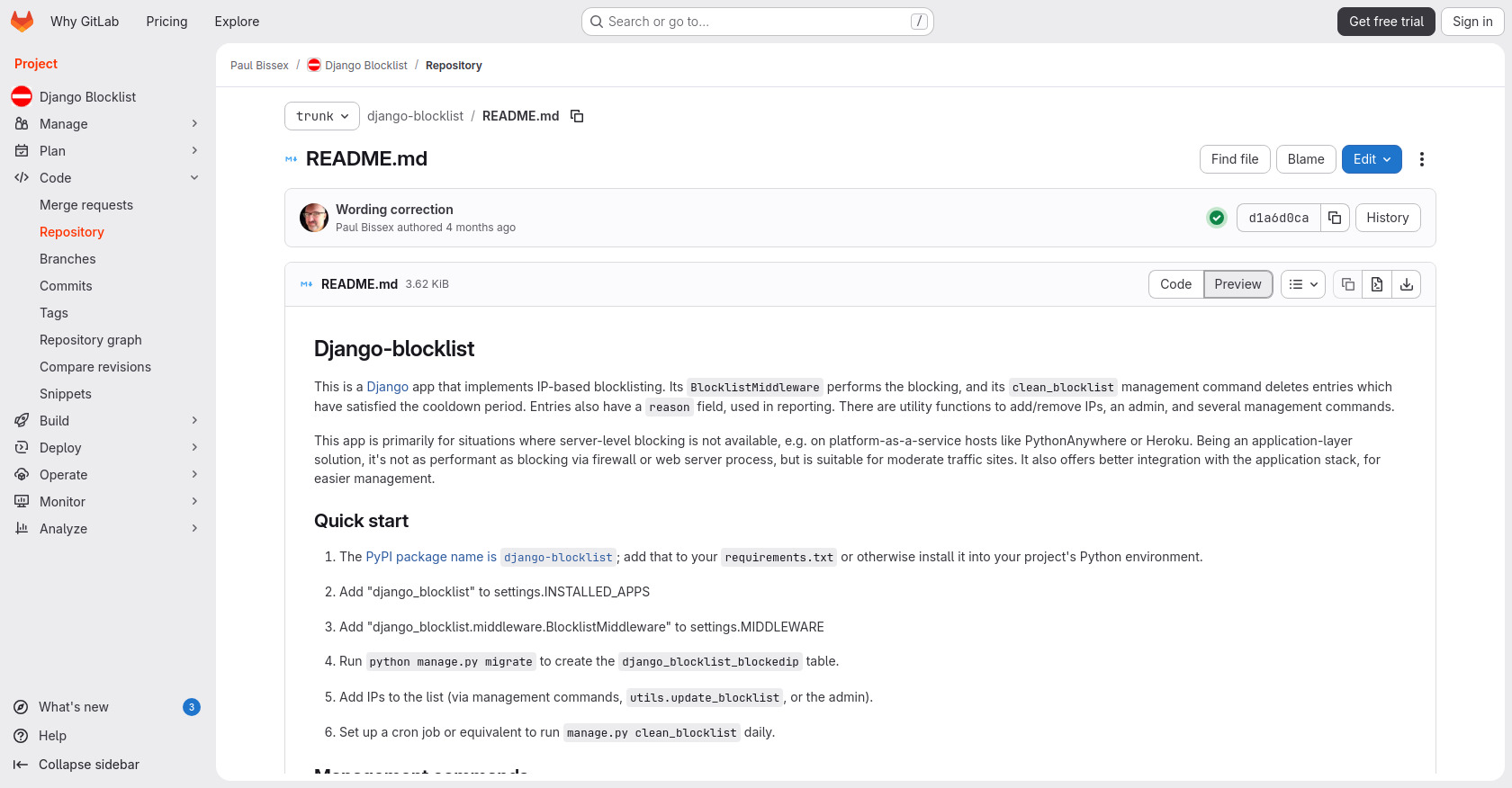
This page is the README.md file for a Django app called django-blocklist, hosted on GitLab. It provides detailed information about the app's functionality, installation, usage, configuration, and development.
Target audience
Django developers who need to implement IP-based blocklisting in their applications, especially in environments where server-level blocking isn't available.
Key features
- IP-based blocklisting via Django middleware.
- Management commands for cleaning, importing, removing, reporting, searching, and updating the blocklist.
- Configuration options for cooldown periods, cache TTL, and denial templates.
- Utility methods for programmatically managing the blocklist.
Pain points
- Provides a solution for IP-based blocking when server-level blocking is not an option.
- Simplifies the management of blocked IPs through management commands and utility functions.
- Offers customization options for cooldown periods and denial responses.
Usage instructions
- Install the django-blocklist package from PyPI.
- Add 'django_blocklist' to INSTALLED_APPS in your Django settings.
- Add 'django_blocklist.middleware.BlocklistMiddleware' to MIDDLEWARE in your Django settings.
- Run
python manage.py migrate. - Add IPs to the blocklist using management commands, utility functions, or the admin interface.
- Set up a cron job to run
manage.py clean_blocklistdaily.